How it works
A short brief in, the whole trip back. Then it changes with you.
You give it the shape of a trip. It gives you the whole thing night by night, on one map and kept in one place, and it stays useful once you're driving it.
Plan the trip
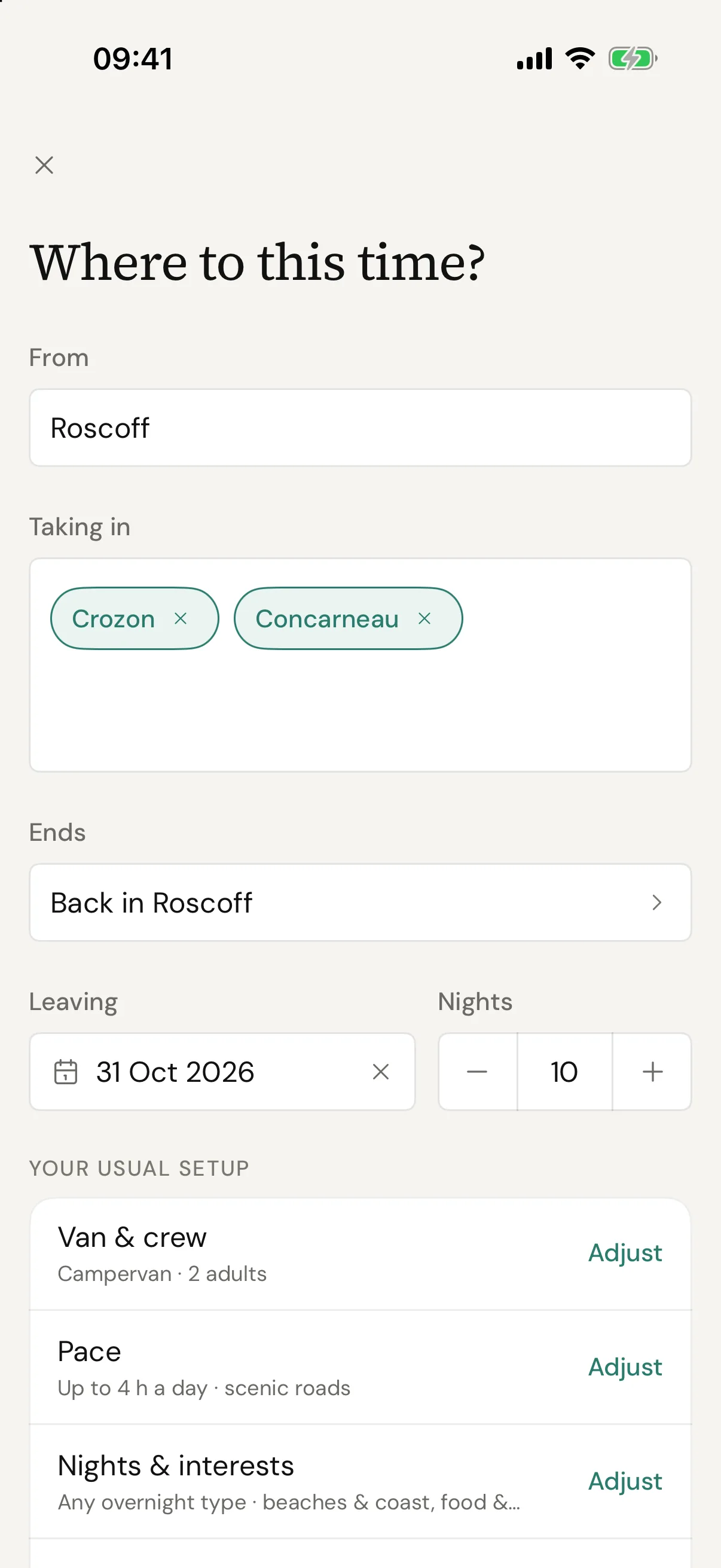
Tell it where, when and what you drive, on one screen.
A region is enough, not an address, and your van and pace are kept for next time. AI writes the first draft, then every place in it is looked up on Google before it's saved. If it isn't right, rebuild it with a note or change the parts that aren't.
Already booked a site or a ferry? Add it and the plan works around it
Swap any night or stop, hide what you'd skip, add notes to a day
A campsite that can't be confirmed becomes a town to look near

Keep it
Saved with your other trips, and every version of it kept.
Every trip is kept in your account, and it's the same when you come back to it. Share it as a link anyone can open, export it as a PDF, or open it on your iPhone.
Every version in the trip's history, to go back to if you change your mind
On iPhone, trips in the next thirty days are saved for when the signal goes
There's no Android app yet. The web app works in any phone's browser
Find tonight
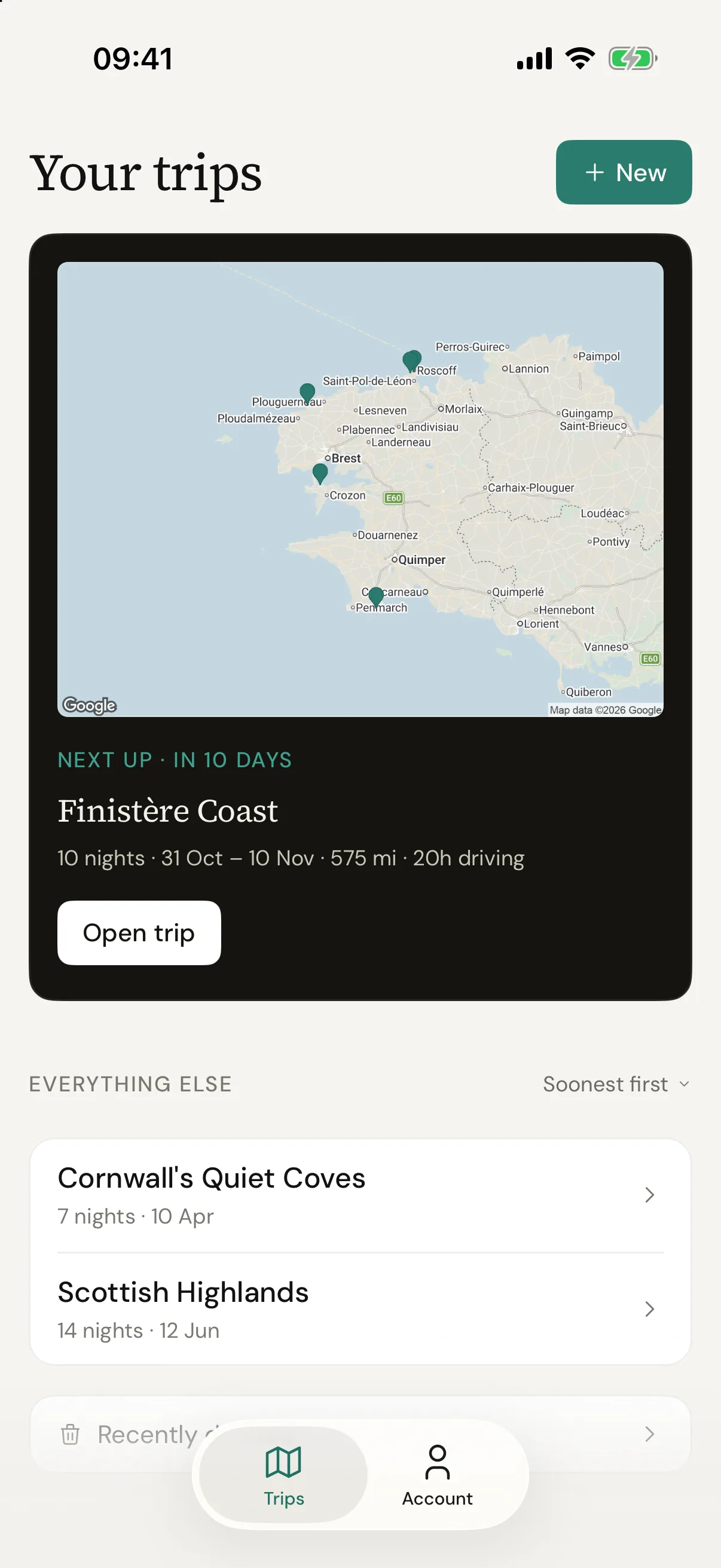
Today's drive, and where you're sleeping at the end of it.
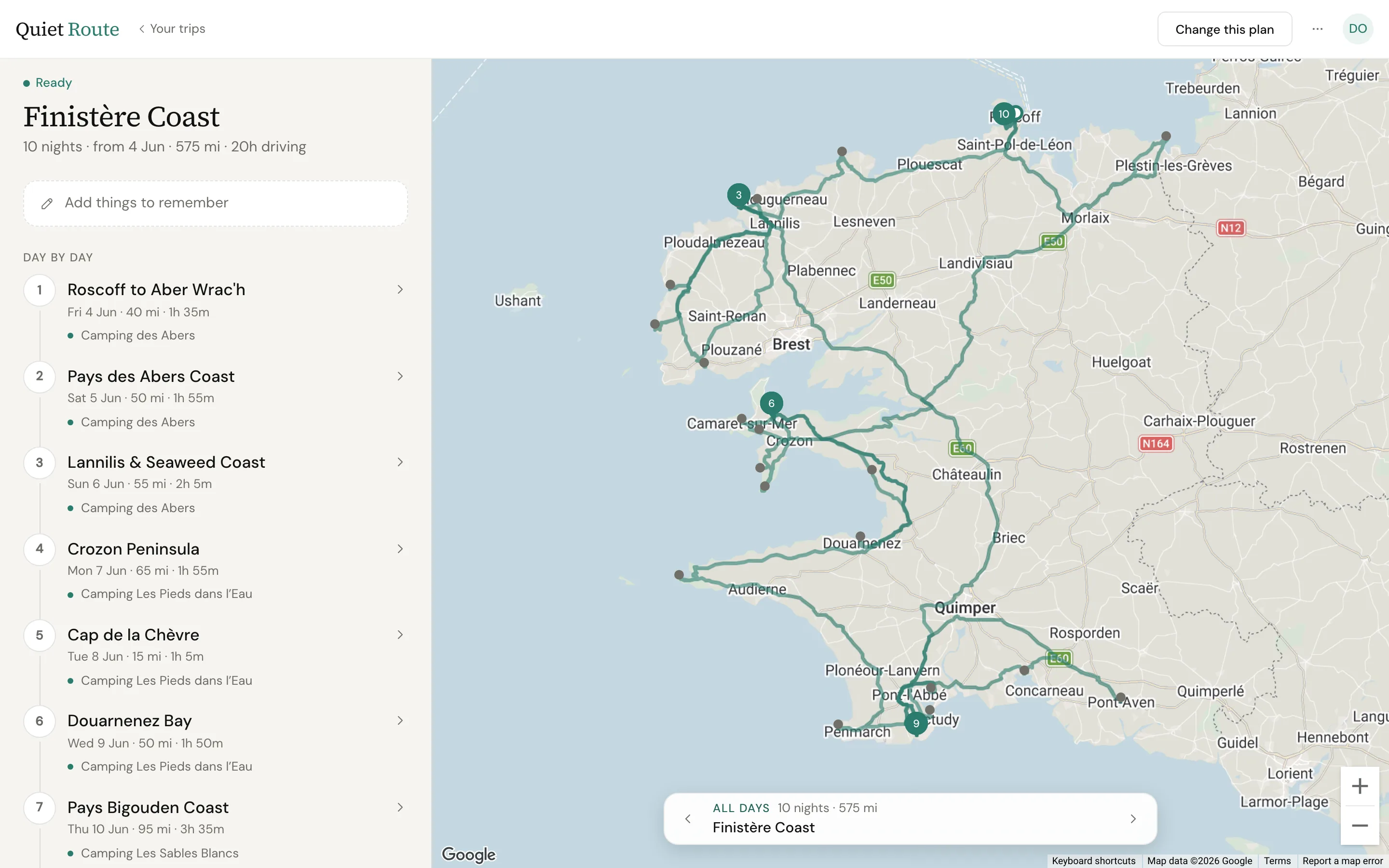
Each day has its drive, the stops worth making and tonight's overnight on one map. One tap opens the campsite in Maps, another where it's listed, and Directions takes you there.
Where no campsite could be confirmed, Find campsites searches near the town
Tonight's price on the same card
It doesn't see availability or take bookings, and it can't tell you a pitch takes your van. Check both before you book
Change it on the road
Stayed somewhere else? The plan keeps up.
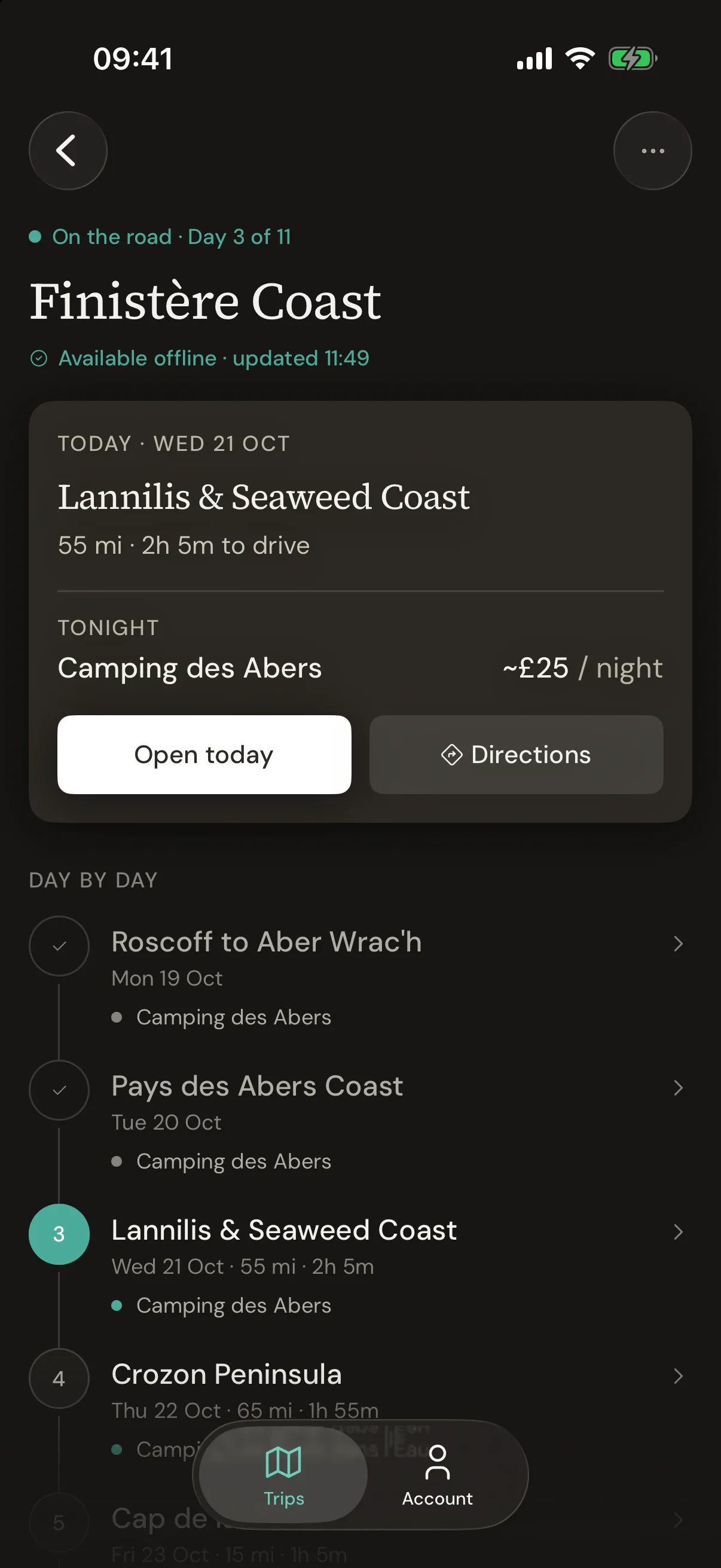
Tell it you're staying where you've stopped, want another night, or are skipping today's stops. Each change sits over the plan, and Put it back undoes it. When the rest of the week needs a different shape, re-plan it from where you are.
An extra night moves every later day on one, each showing where it was
Re-plan from here keeps today and the days behind you as they were
A night you've booked stays booked
Advisories
A line when the area says so.
Days passing through an area under a flood warning or high fire danger carry a line saying so, relayed from public sources about once a day. It's information, not a safety net, and it doesn't see everything.
Advisory · Fire
Very high fire risk in this area
EFFIS puts today's fire danger here at very high. Check local guidance.
EFFIS fire danger forecast · issued 06:10 today
View sourceOn the web
At a desk, it's the web app.
Same account, same trips. The map has room, and when someone else needs the plan there's a PDF and a share link. Any browser, any phone.

David O'Sullivan
Founder, Quiet Route
Behind Quiet Route
I travel in a self-converted VW Crafter with my family most summers. I built Quiet Route because the planning was the part of every trip nobody enjoyed, and it did not have to be.
The plan you keep meaning to make.
Plan my first tripYour first trip is free, then £28 a year. Full refund within 14 days if you bought on the web.